

बिबरन
QuickTools for WooCommerce enhances your WooCommerce admin and storefront with lightweight sales tools. Use the Control Center under WooCommerce QuickTools to enable or disable each feature independently.
Key Features
- Control Center: Modern admin panel to toggle every feature on or off.
- Sold column (Products): Sortable units-sold badge column on the Products list.
- Stock Qty column (Products): Sortable color-coded stock quantity badge on the Products list.
- Total Sold (Storefront): Premium Total Sold UI on shop/archive loops and single product pages (separately toggleable).
- Recently Sold label (Storefront): “12 sold in the last 24 hours” label on shop loops and single product pages, cached for performance.
- Only X Left badge (Storefront): “Only 3 left in stock” urgency badge when stock runs low (threshold filterable via
qtfw_only_left_threshold). - Previous Orders column (Orders): Previous-order status badges matched by billing phone (with/without country code). Works with classic orders and HPOS.
- Performance-minded: Disabled features are not loaded; CSS/JS enqueue only on relevant screens.
Screenshots

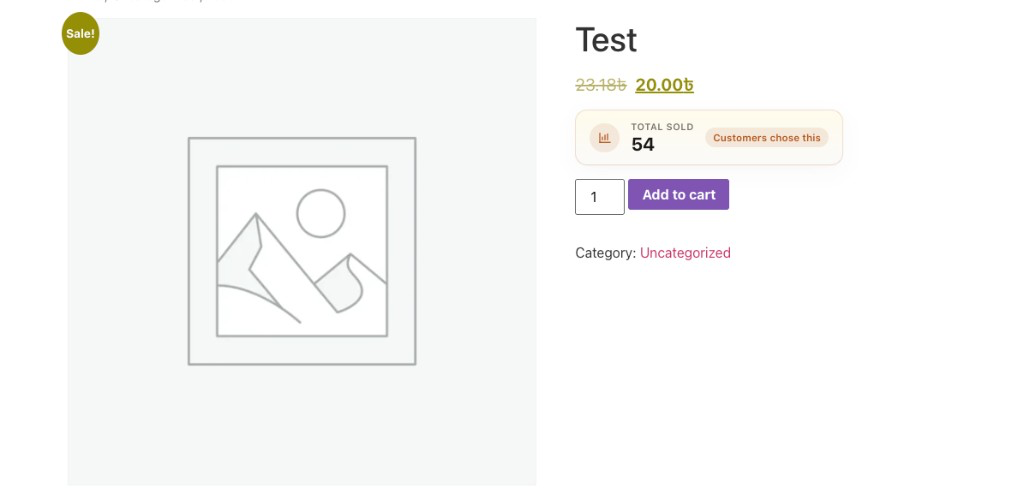
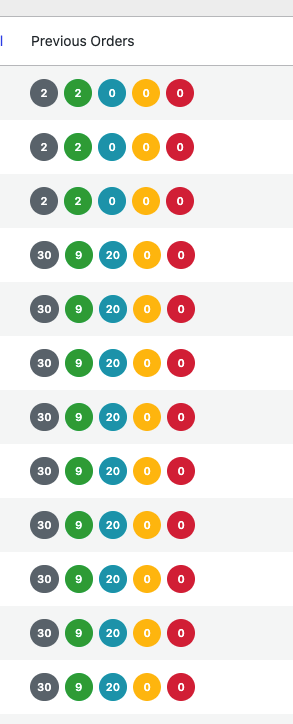
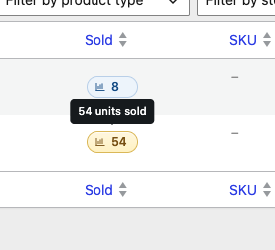
Installation
- Upload the
quicktools-for-woocommercedirectory to the/wp-content/plugins/directory. - Activate the plugin through the ‘Plugins’ menu in WordPress.
- Ensure that WooCommerce is installed and activated to use this plugin.
FAQ
-
What is the purpose of this plugin?
-
It adds product sales visibility (admin + storefront) and previous-order status badges on the orders list, matched by billing phone.
-
Is WooCommerce required?
-
Yes. QuickTools for WooCommerce requires WooCommerce to be installed and activated.
-
Does it support High-Performance Order Storage (HPOS)?
-
Yes. The Previous Orders column registers on both the classic and HPOS orders screens and reads billing phone from HPOS address tables when enabled.
-
Can I disable individual features?
-
Yes. Go to WooCommerce QuickTools and toggle each feature. Disabled features are not loaded.
-
How can I report a bug or request a feature?
-
Open an issue on the plugin’s GitHub repository.
समीक्षा
There are no reviews for this plugin.
Contributors & Developers
“QuickTools for WooCommerce” is open source software. The following people have contributed to this plugin.
Contributors
Translate “QuickTools for WooCommerce” into your language.
Interested in development?
Browse the code, check out the SVN repository, or subscribe to the development log by RSS.
Changelog
1.4.0
- Added “Only X left” storefront urgency badge for low-stock products with its own Control Center toggle.
1.3.0
- Added Recently Sold storefront label (units sold in the last 24 hours) with its own Control Center toggle.
1.2.0
- Added Stock Qty column showing color-coded, sortable stock quantity badges on the Products list (toggleable in the Control Center).
1.1.0
- Added QuickTools Control Center (WooCommerce QuickTools) with per-feature enable/disable toggles.
- Premium Total Sold UI for admin and storefront.
- Disabled features are not loaded; assets load only when needed.
- Settings saved via the WordPress Settings API with capability and sanitize checks.
1.0.0
- Initial release.
- Total Sold on products list, shop loop, and single product.
- Previous Orders column (billing phone) with legacy + HPOS support.
- Security and performance hardening: capability checks, escaped output, request-level query cache, conditional asset loading.