
बिबरन
You change something on your website, refresh the page, and the old version is still there. Usually, cache is doing its job a little too well.
Cache Cleaner gives you one place to see the cache tools it can find and refresh them when you need to.
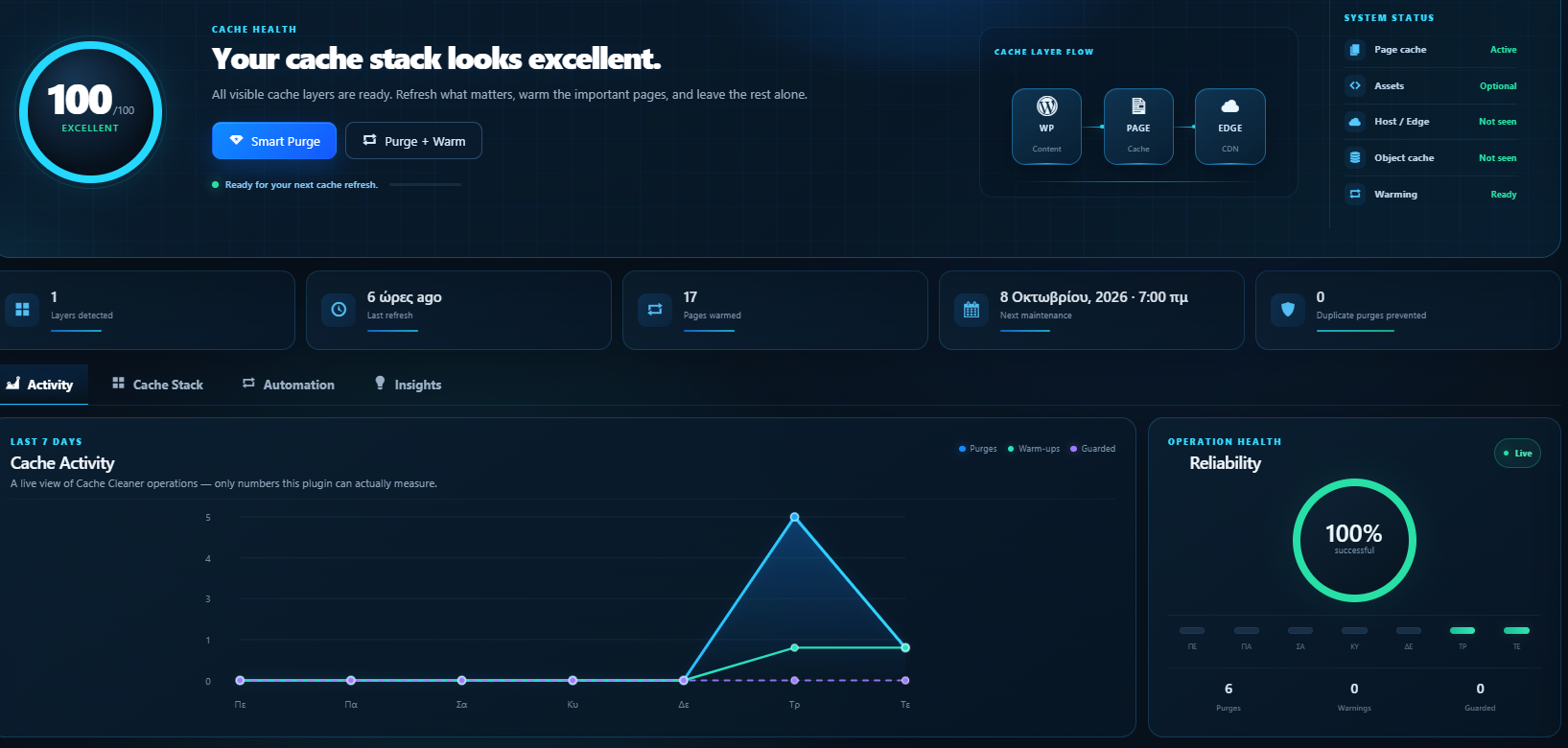
Use Smart Purge for a normal refresh, Purge + Warm when you want important pages prepared again, or let Cache Cleaner handle selected changes automatically.
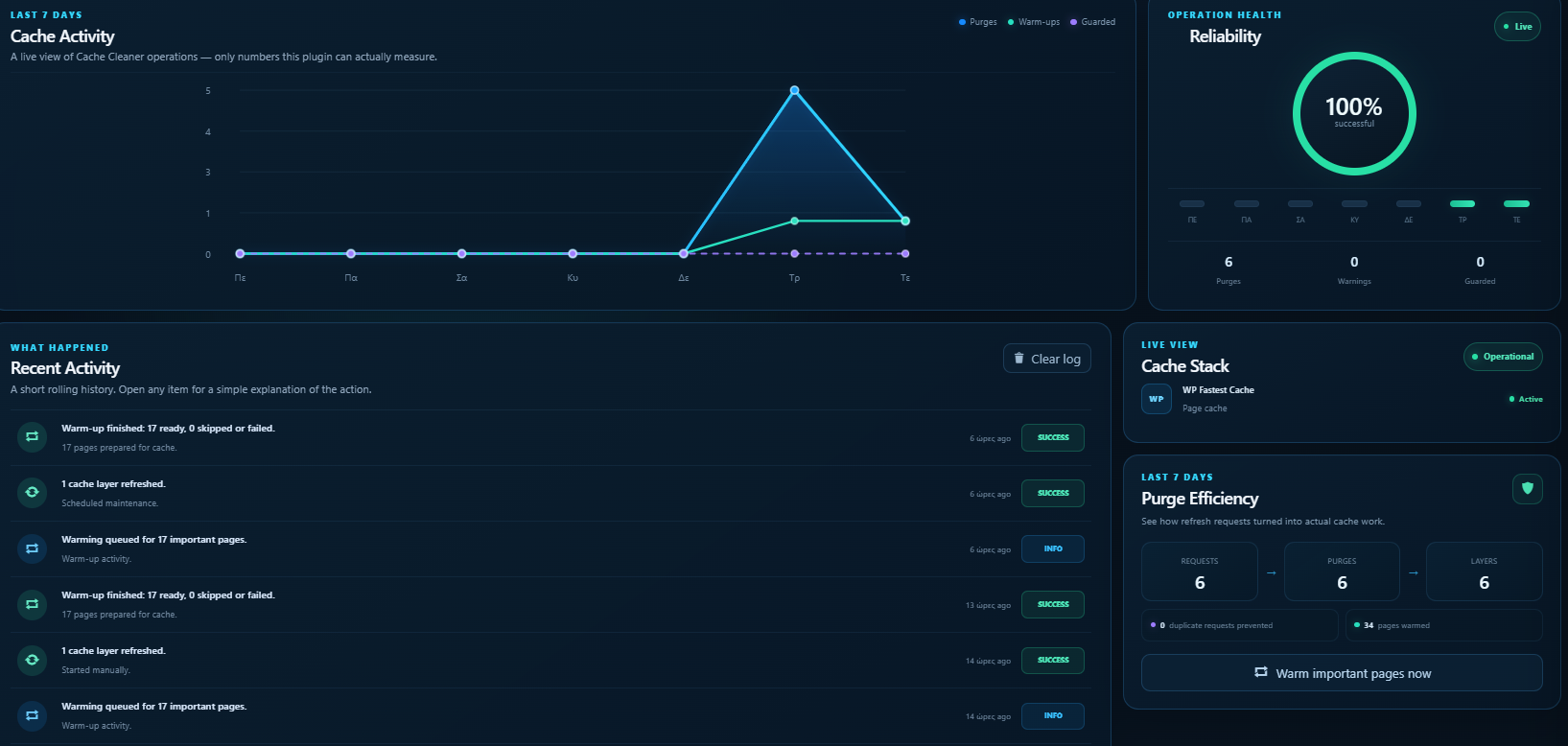
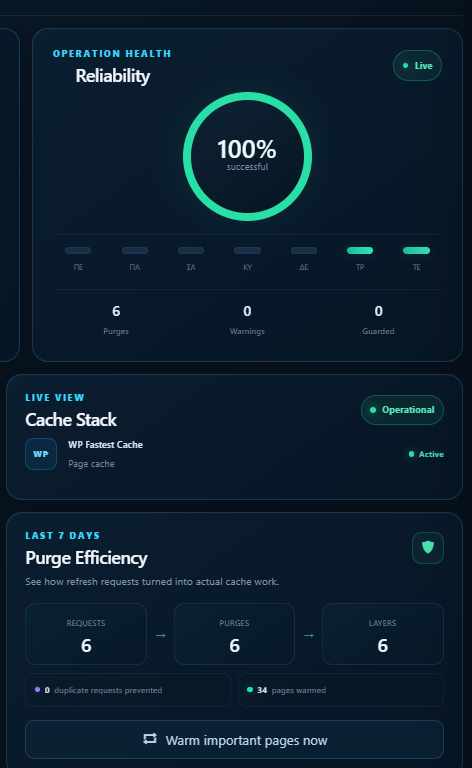
The dashboard also keeps a short activity history and shows simple health and activity information, so you can see what happened without digging through logs.
There is no Pro version. Everything is included.
Highlights
- Automatically finds many popular WordPress cache tools
- Smart Purge for normal day-to-day cache refreshes
- Purge + Warm to prepare important pages again
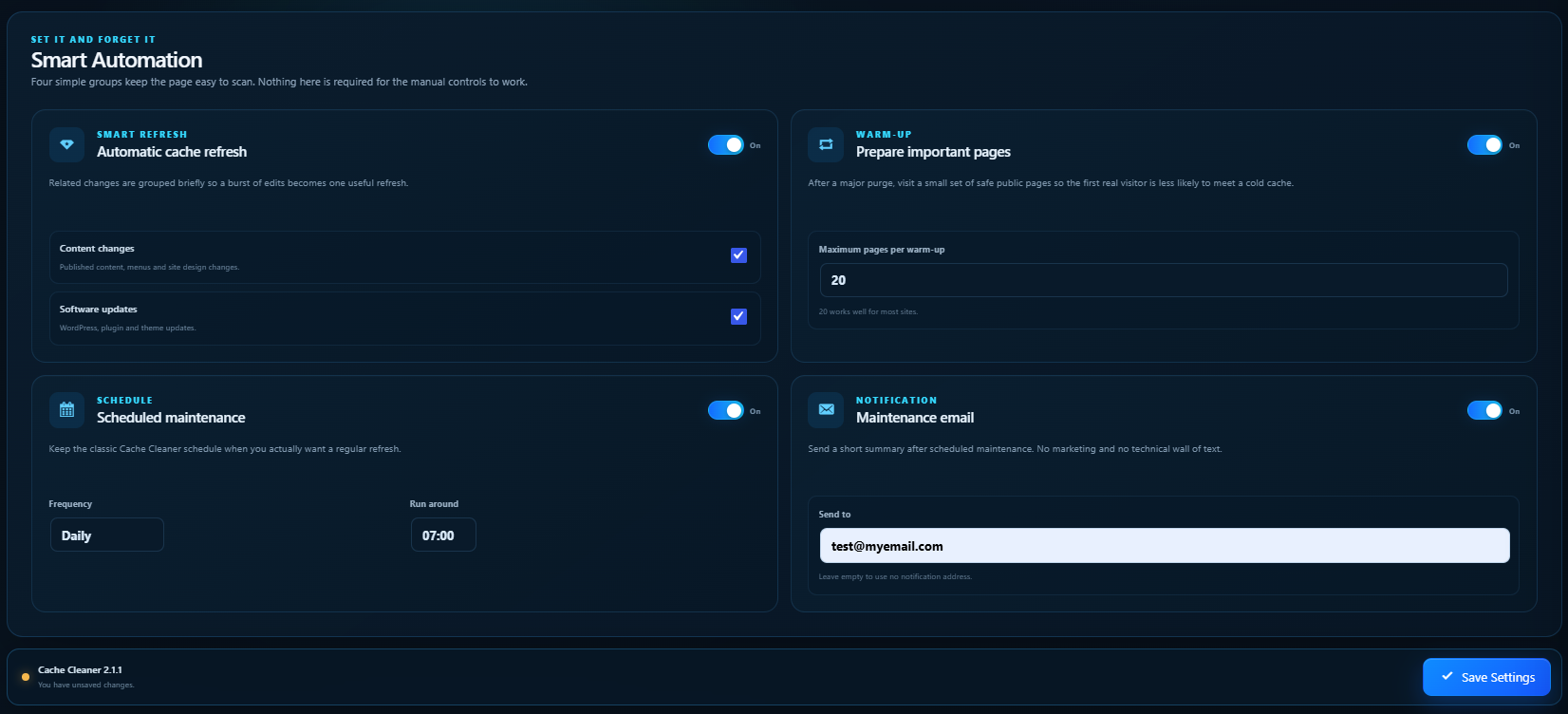
- Optional automatic refresh after content or software changes
- Daily, weekly or monthly scheduled maintenance
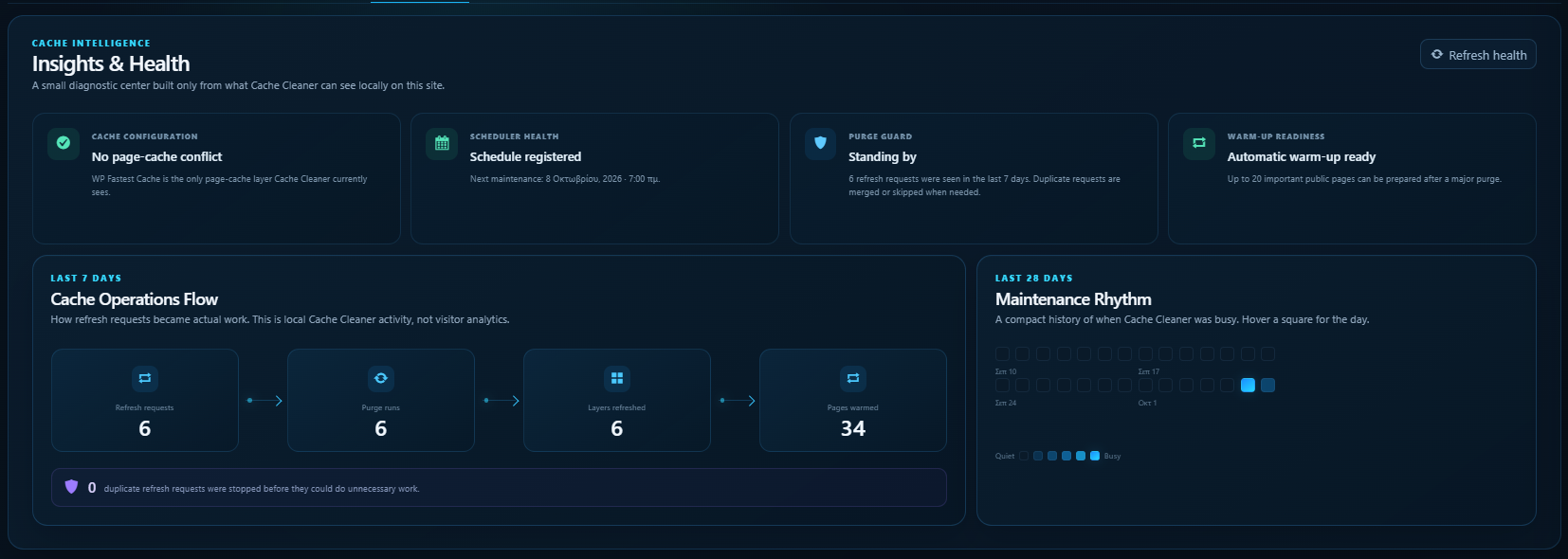
- A clear activity timeline and simple cache health view
- Optional email after scheduled maintenance
- Quick controls from the WordPress admin bar
- No Lumiverse account and no telemetry
Cache Cleaner works with many popular cache plugins and hosting cache layers, including LiteSpeed Cache, WP Rocket, W3 Total Cache, WP Super Cache, WP Fastest Cache, Autoptimize, WP-Optimize, Cache Enabler, Breeze, Hummingbird, SiteGround Speed Optimizer, Nginx Helper and others.
Persistent object caches are handled more carefully and are not emptied by a normal Smart Purge.
Private by design
Cache Cleaner does not send your site URLs, settings or usage data to Lumiverse Dynamic.
When page warming is used, the plugin only visits selected public pages on your own website.
Made by Lumiverse Dynamic
Cache Cleaner is a free WordPress utility by Lumiverse Dynamic.
More information: https://lumiverse.gr/
Screenshots
Installation
- Install and activate Cache Cleaner.
- Open Cache Cleaner in the WordPress admin menu.
- Check the cache layers it found.
- Choose the automatic options you want, if any.
- You are ready.
Updating from an older Cache Cleaner version? Your existing schedule and selected cache plugins are carried forward automatically.
FAQ
-
Will the new version change my old settings?
-
No. Older Cache Cleaner settings are carried forward carefully, and the old options are kept in place for rollback safety.
New automatic features stay off on upgraded sites until you choose to enable them.
-
What is Smart Purge?
-
It refreshes the cache layers you have allowed Cache Cleaner to manage, while avoiding more aggressive cache clearing unless you specifically ask for it.
-
What does Purge + Warm do?
-
After the cache refresh, Cache Cleaner visits a small set of important public pages so they can be cached again before a real visitor arrives.
-
Why is object cache protected?
-
Because emptying it is usually unnecessary for a normal website change and can temporarily make WordPress work harder. You can still allow it for a Full Purge from the advanced controls.
-
Does Cache Cleaner send data to Lumiverse?
-
No. There is no telemetry and no Lumiverse account is required.
-
I do not see my cache plugin. What can I do?
-
Tell us which cache plugin or hosting platform you use in the WordPress.org support forum. We can review it for a future update.
समीक्षा


Contributors & Developers
“Cache Cleaner – Smart Cache Control” is open source software. The following people have contributed to this plugin.
Contributors
Translate “Cache Cleaner – Smart Cache Control” into your language.
Interested in development?
Browse the code, check out the SVN repository, or subscribe to the development log by RSS.
Changelog
2.1.1
- Polished the full-width dark dashboard and fixed edge-to-edge layout issues.
- Reworked Cache Activity into a clearer animated graph.
- Added a more useful Purge Efficiency view and richer cache-provider cards.
- Rebuilt Automation into four easier-to-scan groups.
- Expanded Insights with cache, schedule, Purge Guard and warm-up health cards.
- Added a 28-day maintenance heatmap and a simple Cache Operations Flow.
- Kept all existing settings and upgrade behaviour unchanged.
2.1.0
- New full-width Lumiverse dashboard with a dark performance-console design.
- Added real cache activity charts, health insights and a maintenance history view.
- Added live warm-up status and improved feedback while cache actions are running.
- Recent activity can now show a short explanation of each event.
- Added a manual Warm Now action and clearer cache-stack status.
- Improved AJAX saving and dashboard updates.
- Existing settings and the 1.x upgrade path remain unchanged.
2.0.0
- Rebuilt Cache Cleaner around safer Smart Purge controls.
- Added cache-stack discovery and support for many more cache tools.
- Added Purge + Warm, automatic refresh rules, Cache Health and recent activity.
- Added AJAX settings, Site Health support, admin-bar controls and WP-CLI commands.
- Existing 1.x settings are migrated without deleting the old options.
- Deactivation no longer deletes your configuration.
1.0.7
- WordPress compatibility update.
1.0.6
- Scheduling fix.
1.0.5
- Updated daily, weekly and monthly schedules.
1.0.4
- Added email notifications.
1.0.3
- Added WP Rocket support.
- Minor security fix.
1.0.2
- Added Comet Cache and Cache Enabler support.
- Added monthly cleaning.
1.0.1
- Cache purge fixes.
1.0.0
- First release.